

Claude for Lawyers: From Chat to Integrated Practice Tool
Credits Available
| Credit | Status | Total |
|---|---|---|
| Alaska CLE |
|
3 Total |
| Alabama CLE |
|
3 Total |
| Arkansas CLE |
|
3 Total |
| Arizona CLE |
|
3 Total |
| California CLE |
|
3 Total |
| Colorado CLE |
|
4 Total |
| Connecticut CLE |
|
3 Total |
| Delaware CLE |
|
3 Total |
| Florida CLE |
|
3.5 Total |
| Georgia CLE |
|
3 Total |
| Hawaii CLE |
|
3 Total |
| Iowa CLE |
|
3 Total |
| Idaho CLE |
|
3 Total |
| Illinois CLE |
|
3 Total |
| Indiana CLE |
|
3 Total |
| Kansas CLE |
|
2 Total |
| Kentucky CLE |
|
3 Total |
| Louisiana CLE |
|
3 Total |
| Maine CLE |
|
3 Total |
| Minnesota CLE |
|
3 Total |
| Missouri CLE |
|
3.6 Total |
| Northern Mariana Islands CLE |
|
3 Total |
| Montana CLE |
|
3 Total |
| North Carolina CLE |
|
3 Total |
| North Dakota CLE |
|
3 Total |
| Nebraska CLE |
|
3 Total |
| New Jersey CLE |
|
3.6 Total |
| New Mexico CLE |
|
3 Total |
| Nevada CLE |
|
3 Total |
| New York CLE |
|
3.5 Total |
| Ohio CLE |
|
3 Total |
| Oklahoma CLE |
|
3.5 Total |
| Oregon CLE |
|
3 Total |
| Pennsylvania CLE |
|
3 Total |
| Rhode Island CLE |
|
3.5 Total |
| South Carolina CLE |
|
3 Total |
| Tennessee CLE |
|
3 Total |
| Texas CLE |
|
3 Total |
| Utah CLE |
|
3 Total |
| Virginia CLE |
|
3 Total |
| Vermont CLE |
|
3 Total |
| Washington CLE |
|
3 Total |
| Wisconsin CLE |
|
3.5 Total |
| West Virginia CLE |
|
3.6 Total |
| Wyoming CLE |
|
3 Total |
Tue, Dec 15, 00:00 AM – 00:00 PM

Tue, Dec 15, 00:00 AM – 00:00 PM
Register For Course
Live Webinar Registration
OnDemand Recording
Course Book Download
Overview
Turn Claude From a Chat Window Into a Working Part of Your Practice
Most attorneys who have tried Claude are stuck in the same place: typing one-off questions into a chat window, copying the answer out, and starting over next time. The real value comes from setting it up properly, organizing it around your matters, and letting it run multi-step work while you review the output. This course walks you through that progression: configuring your account and data settings, connecting Claude to the documents and tools you already use, organizing matters with projects and reusable templates, and building agentic workflows that carry a task from start to finish instead of one prompt at a time. Every topic includes a live, hands-on demonstration so you watch each capability built in real time. By the end, Claude functions as an integrated part of how you practice, not a tab you occasionally open. Break through - register today!
- Move past basic prompting to understand the full range of Claude use cases in a law practice.
- Configure your Claude account, data settings, and office tool connections correctly from day one.
- Organize ongoing matters and recurring work using projects, artifacts, templates, and brand kits.
- Build multi-step agentic workflows that complete full tasks instead of single, isolated prompts.
- Roll agentic workflows out across a practice group with review checkpoints and measurable results.
*Mention of specific products or providers is informational only and does not constitute NBI endorsement. This program is not sponsored by any technology or electronics provider.
Abbreviated Agenda
- Claude Overview, Use Cases, and Prompting Foundations for Legal Work
- Setting Up Your Practice for Claude: Accounts, Data Security, and Integrations
- Organizing Legal Work in Claude: Projects, Artifacts, and Reusable Templates
- Deploying Agentic Tools Firmwide: Governance, Oversight, and Scaling Adoption
- From Chatbot to Agent: Building Individual Agentic Workflows for Legal Tasks
Can't Attend Live?

Get the OnDemand Instead
Watch the recording of this event on your own schedule. We'll notify you when its ready.
Credit Details
Credits Available
| Credit | Status | Total |
|---|---|---|
| Alaska CLE |
|
3 Total |
| Alabama CLE |
|
3 Total |
| Arkansas CLE |
|
3 Total |
| Arizona CLE |
|
3 Total |
| California CLE |
|
3 Total |
| Colorado CLE |
|
4 Total |
| Connecticut CLE |
|
3 Total |
| Delaware CLE |
|
3 Total |
| Florida CLE |
|
3.5 Total |
| Georgia CLE |
|
3 Total |
| Hawaii CLE |
|
3 Total |
| Iowa CLE |
|
3 Total |
| Idaho CLE |
|
3 Total |
| Illinois CLE |
|
3 Total |
| Indiana CLE |
|
3 Total |
| Kansas CLE |
|
2 Total |
| Kentucky CLE |
|
3 Total |
| Louisiana CLE |
|
3 Total |
| Maine CLE |
|
3 Total |
| Minnesota CLE |
|
3 Total |
| Missouri CLE |
|
3.6 Total |
| Northern Mariana Islands CLE |
|
3 Total |
| Montana CLE |
|
3 Total |
| North Carolina CLE |
|
3 Total |
| North Dakota CLE |
|
3 Total |
| Nebraska CLE |
|
3 Total |
| New Jersey CLE |
|
3.6 Total |
| New Mexico CLE |
|
3 Total |
| Nevada CLE |
|
3 Total |
| New York CLE |
|
3.5 Total |
| Ohio CLE |
|
3 Total |
| Oklahoma CLE |
|
3.5 Total |
| Oregon CLE |
|
3 Total |
| Pennsylvania CLE |
|
3 Total |
| Rhode Island CLE |
|
3.5 Total |
| South Carolina CLE |
|
3 Total |
| Tennessee CLE |
|
3 Total |
| Texas CLE |
|
3 Total |
| Utah CLE |
|
3 Total |
| Virginia CLE |
|
3 Total |
| Vermont CLE |
|
3 Total |
| Washington CLE |
|
3 Total |
| Wisconsin CLE |
|
3.5 Total |
| West Virginia CLE |
|
3.6 Total |
| Wyoming CLE |
|
3 Total |
Credit Details by Jurisdiction
Live Webinar Registration
CLE
Credits
Alaska CLE Reciprocity · 3 Total Credits
- 3 MECLE Ethics
Live - Alaska CLE - 3: Alaska Bar members may claim credit for attending CLE programs that have been accredited by other mandatory CLE jurisdictions. This program qualifies for 3.0 hours of credit, which includes 0.0 hours of MCLE credit and 3.0 hour of MECLE credit.
Alabama CLE Approved · 3 Total Credits
Live - Alabama CLE - 3: This course or a portion thereof has been approved by the Alabama State Bar Mandatory Continuing Legal Education Commission for a maximum of 3.0 credit hours, including 0.0 ethics/professionalism credit.
Arkansas CLE Approved · 3 Total Credits
Live - Arkansas CLE - 3: NBI, Inc. is an accredited sponsor in the state of Arkansas. This program is approved for 3.0 hours of continuing legal education credit, including 0.0 hour of ethics, consistent with the rules and regulations of the Arkansas Supreme Court of Professional Programs.
Arizona CLE Approved · 3 Total Credits
Live - Arizona CLE - 3: The State Bar of Arizona does not approve or accredit CLE activities for the Mandatory Continuing Legal Education requirement. This activity qualifies for 3.0 hours toward your annual CLE requirement for the State of Arizona, including 0.0 hour of professional responsibility.
California CLE Approved · 3 Total Credits
- 1 Technology
Live - California CLE - 3: This activity has been approved for Minimum Continuing Legal Education credit by the State Bar of California in the amount of 3.0 hours, of which 0.0 hour will apply to legal ethics and 1.0 hour will apply to Technology. NBI, Inc. certifies this activity conforms to the standards for approved education activities prescribed by the rules and regulations of the State Bar of California governing minimum continuing legal education. NBI, Inc. is a State Bar of California approved MCLE provider - #53.
Colorado CLE Approved · 4 Total Credits
Live - Colorado CLE - 4: NBI, Inc. is a Certified Provider, as recognized by the Colorado Supreme Court Continuing Legal and Judicial Education Committee. This program has been accredited for 4.0 hours of General Colorado Continuing Legal Education Credit, including 0.0 professional responsibility credit.
Connecticut CLE Approved · 3 Total Credits
- 3 Ethics/Professionalism
Live - Connecticut CLE - 3: Neither the Connecticut Judicial Branch nor the Commission on Minimum Continuing Legal Education approve or accredit CLE providers or activities. It is the opinion of NBI, Inc. that this activity qualifies for 3.0 hours toward your annual CLE requirement in Connecticut, including 3.0 hour(s) of ethics/professionalism.
Delaware CLE Approved · 3 Total Credits
Live - Delaware CLE - 3: NBI, Inc. is an accredited sponsor of the Delaware Commission on Continuing Legal Education and recommends this program for 3.0 hours of eCLE credit, including 0.0 hour of ethics.
Florida CLE Approved · 3.5 Total Credits
- 3.5 Technology
Live - Florida CLE - 3.5: Approved by The Florida Bar for a maximum of 3.50 general hours of CLER credit including 0.0 hour of professional responsibility (may include legal ethics, professionalism, substance abuse or mental illness and wellness programs) and 3.50 hours of technology.
Georgia CLE Approved · 3 Total Credits
Live - Georgia CLE - 3: This program is approved by the Commission on Continuing Lawyer Competency of the State Bar of Georgia. This program qualifies for 3.0 hours of distance learning continuing legal education credit with the Georgia Commission on Continuing Lawyer Competency, which includes 0.0 hour of distance learning ethics.
Hawaii CLE Approved · 3 Total Credits
Live - Hawaii CLE - 3: NBI, Inc. is an Accredited Provider with the Hawaii State Board of Continuing Legal Education. This alternative format activity has been approved for 3.0 hours of credit for the state of Hawaii, which includes 0.0 hour of ethics or professional responsibility education.
Iowa CLE Approved · 3 Total Credits
Live - Iowa CLE - 3: "Claude for Lawyers: From Chat to Integrated Practice Tool" is an accredited program under the regulations of the Iowa Supreme Court Commission on Continuing Legal Education. It is planned that this program will provide a maximum of 3.0 hours of regular credit toward the mandatory continuing legal education requirements under the Iowa rule, including 0.0 hour of legal ethics credit.
Idaho CLE Approved · 3 Total Credits
Live - Idaho CLE - 3: Approved for 3.0 hours of continuing legal education credit in the state of Idaho, which includes 0.0 legal ethics or professional responsibility credit.
Illinois CLE Approved · 3 Total Credits
Live - Illinois CLE - 3: This program has been approved by the Illinois MCLE Board for 3.0 hours of CLE credit, which includes approval for 0.0 hour of legal ethics, civility, professionalism CLE credit by the Illinois Supreme Court Commission on Professionalism.
Indiana CLE Approved · 3 Total Credits
Live - Indiana CLE - 3: This course has been approved by the Indiana Supreme Court Office of Admissions & Continuing Education. Participating attorneys are eligible to receive 3.0 hours of distance education, which includes 0.0 hour of ethics.
Kansas CLE Upon Request · 2 Total Credits
- 2 Law Practice Management
Live - Kansas CLE - 2: Upon course completion and credit request submittal, an application will be submitted to Kansas CLE.
Kentucky CLE Approved · 3 Total Credits
Live - Kentucky CLE - 3: This activity has been approved by the Kentucky Bar Association Continuing Legal Education Commission for a maximum of 3.0 credits, including 0.0 ethics credits.
Louisiana CLE Approved · 3 Total Credits
- 3 Law Office Practice
Live - Louisiana CLE - 3: This course or a portion thereof has been approved by the Louisiana Mandatory Continuing Legal Education Committee of the Louisiana State Bar Association. This program qualifies for 3.0 hours (based on a 60-minute credit hour) of computer based credit, of which 0.0 hour will apply to computer based ethics credit and 3.0 hours will apply to computer based law office practice.
Maine CLE Approved · 3 Total Credits
Live - Maine CLE - 3: This course has been approved by the State of Maine Board of Overseers of the Bar. Lawyers who complete this course shall receive 3.0 hours of CLE credit including 0.0 ethics hours.
Course Book - Maine CLE - 3: This course has been approved by the State of Maine Board of Overseers of the Bar. Lawyers who complete this course will receive 3.0 hours of self-study CLE credit.
Minnesota CLE Approved · 3 Total Credits
Live - Minnesota CLE - 3: This course has been approved by the Minnesota Board of Continuing Legal Education for 3.0 hours of standard CLE credit, including 0.0 hour of ethics credit.
Missouri CLE Approved · 3.6 Total Credits
Live - Missouri CLE - 3.6: NBI, Inc. is an accredited sponsor with Missouri Minimum Continuing Legal Education. This program qualifies for 3.60 hours of CLE credit, which includes 0.0 hour of ethics, professionalism or malpractice prevention credit.
Course Book - Missouri CLE - 3.6: NBI, Inc. is an accredited sponsor with Missouri Minimum Continuing Legal Education. This program qualifies for 3.60 self-study CLE credit hours.
Northern Mariana Islands CLE Approved · 3 Total Credits
Live - Northern Mariana Islands CLE - 3: This course has been approved by the Commonwealth of the Northern Mariana Islands. Lawyers who complete this course shall receive 3.0 hours of CLE credit.
Course Book - Northern Mariana Islands CLE - 3: This course has been approved by the Commonwealth of the Northern Mariana Islands. Lawyers who complete this course shall receive 3.0 hours of self-study CLE credit.
Montana CLE Approved · 3 Total Credits
Live - Montana CLE - 3: Approved for 3.0 hours of CLE credit by the Montana Commission of Continuing Legal Education, including 0.0 hour of professional fitness and integrity credit.
North Carolina CLE Approved · 3 Total Credits
- 1 Technology
Live - North Carolina CLE - 3: NBI, Inc. is an accredited sponsor with the North Carolina State Board of Continuing Legal Education. Attendance of this program will result in 3.0 hours of CLE credit, including 0.0 professional responsibility and 1.0 technology.
North Dakota CLE Approved · 3 Total Credits
Live - North Dakota CLE - 3: This program has been approved by the North Dakota Commission for Continuing Legal Education for 3.0 hours of CLE credit, including 0.0 hour of ethics credit.
Nebraska CLE Approved · 3 Total Credits
Live - Nebraska CLE - 3: NBI, Inc. is an accredited CLE sponsor in the state of Nebraska. This activity has been approved for 3.0 distance learning CLE credits, including 0.0 hour of professional responsibility credit.
New Jersey CLE Approved · 3.6 Total Credits
Live - New Jersey CLE - 3.6: This program has been approved by the Board on Continuing Legal Education of the Supreme Court of New Jersey for 3.60 hours of total CLE credit. Of these, 0.0 qualifies as hours of credit for ethics/professionalism.
New Mexico CLE Approved · 3 Total Credits
Live - New Mexico CLE - 3: This program has been approved by the Board of Bar Commissioners of the State Bar of New Mexico for 3.0 hours of credit, including 0.0 hour of ethics.
Nevada CLE Approved · 3 Total Credits
Live - Nevada CLE - 3: This course has been approved by the Nevada Board of Continuing Legal Education. This program qualifies for 3.0 hours of alternative format CLE credits by the Nevada Board of Continuing Legal Education, which includes 0.0 hour of alternative format ethical considerations.
New York CLE Approved · 3.5 Total Credits
- 3.5 Law Practice Management
Live - New York CLE - 3.5: This course has been approved in accordance with the requirements of the New York State Continuing Legal Education Board for a maximum of 3.50 credit hours. 3.50 hours can be applied to the law practice management requirement. This nontraditional format program is approved for experienced attorneys. NBI, Inc. offers a Financial Hardship Policy for qualifying individuals. To apply, please submit a request via email to our Tuition Discount Committee at customerservice@nbi-sems.com.
Ohio CLE Approved · 3 Total Credits
Live - Ohio CLE - 3: This course has been approved by the Supreme Court of Ohio Commission on Continuing Legal Education for 3.0 CLE credit hours, including 0.0 hour of attorney professional conduct instruction.
Oklahoma CLE Approved · 3.5 Total Credits
Live - Oklahoma CLE - 3.5: This course has been approved by the Oklahoma Bar Association Mandatory Continuing Legal Education Commission for 3.50 hours of CLE credit, which includes 0.0 hour of legal ethics.
Oregon CLE Approved · 3 Total Credits
Live - Oregon CLE - 3: NBI, Inc. is an approved sponsor with the Oregon MCLE. This program is approved for 3.0 hours of general continuing legal education credit and 0.0 hour of ethics credit.
Pennsylvania CLE Approved · 3 Total Credits
Live - Pennsylvania CLE - 3: This program has been approved by the Pennsylvania Continuing Legal Education Board for a total of 3.0 hours, including 3.0 hours of substantive law, practice and procedure CLE credit and 0.0 hour of ethics, professionalism or substance abuse CLE credit.
Rhode Island CLE Upon Request · 3.5 Total Credits
Live - Rhode Island CLE - 3.5: NBI is an accredited sponsor with the Rhode Island MCLE Commission. Upon course completion and credit request submittal, an application will be submitted to the Rhode Island MCLE Commission.
South Carolina CLE Approved · 3 Total Credits
Live - South Carolina CLE - 3: This course is accredited by the South Carolina Commission on Continuing Legal Education and Specialization for 3.0 alternatively delivered hours, of which 0.0 hour relates to legal ethics and professional responsibility.
Tennessee CLE Approved · 3 Total Credits
Live - Tennessee CLE - 3: This course has been approved by the Tennessee Commission on Continuing Legal Education for a maximum of 3.0 hours of Distance Learning credit, including 0.0 hour of ethics/professionalism (EP) credit.
Texas CLE Approved · 3 Total Credits
Live - Texas CLE - 3: This course is accredited for Minimum Continuing Legal Education credit by the State Bar of Texas Committee on MCLE in the amount of 3.0 credit hours, of which 0.0 credit hour will apply to legal ethics/professional responsibility credit. Hours in attendance at National Business Institute CLE seminars may be applied to the minimum Judicial Education requirement.
Utah CLE Approved · 3 Total Credits
- 3 Ethics
Live - Utah CLE - 3: National Business Institute is an approved "presumptive provider" with the Utah State Board of Continuing Legal Education. This program qualifies for a maximum of 3.0 hours of Live CLE credit for Utah attorneys, which includes 3.0 hour of ethics credit.
Virginia CLE Approved · 3 Total Credits
Live - Virginia CLE - 3: This course has been approved by the Virginia Mandatory Continuing Legal Education Board for 3.0 hours of credit, of which 0.0 hour will also apply in the area of legal ethics or professionalism.
Vermont CLE Approved · 3 Total Credits
Live - Vermont CLE - 3: This course has been approved by the Vermont Board of Mandatory Continuing Legal Education for 3.0 hours of credit, including 0.0 hour of ethics.
Washington CLE Approved · 3 Total Credits
- 3 Office Management
Live - Washington CLE - 3: Approved for 3.0 hours of Washington continuing legal education credit, which includes 0.0 hours of Law and Legal Procedure, 3.0 hours of Other Approved Subject Areas in the area of Office Management and 0.0 hour of ethics/professionalism.
Wisconsin CLE Approved · 3.5 Total Credits
- 3.5 Law Practice Management
Live - Wisconsin CLE - 3.5: Approved for 3.50 hours of CLE credit by the Board of Bar Examiners, including 3.5 hours of law practice management (LPM) credit.
West Virginia CLE Approved · 3.6 Total Credits
Live - West Virginia CLE - 3.6: This program qualifies for 3.60 hours of credit, which includes 0.0 hour of ethics, under the West Virginia Rules for Mandatory Continuing Legal Education.
Wyoming CLE Approved · 3 Total Credits
Live - Wyoming CLE - 3: The Wyoming State Board of Continuing Legal Education has granted 3.0 hours of Continuing Legal Education Credit, including 0.0 hour of ethics.
OnDemand Video
CLE
Credits
Alaska CLE Reciprocity · 3 Total Credits
- 3 MECLE Ethics
Earn Until
OnDemand - Alaska CLE - 3: Alaska Bar members may claim credit for attending CLE programs that have been accredited by other mandatory CLE jurisdictions. This program qualifies for 3.0 hours of credit, which includes 0.0 hours of MCLE credit and 3.0 hour of MECLE credit.
Video Download - Alaska CLE - 3: Alaska Bar members may claim credit for attending CLE programs that have been accredited by other mandatory CLE jurisdictions. This program qualifies for 3.0 hours of credit, which includes 0.0 hours of MCLE credit and 3.0 hour of MECLE credit.
Alabama CLE Approved · 3 Total Credits
Earn Until
OnDemand - Alabama CLE - 3: This course or a portion thereof has been approved by the Alabama State Bar Mandatory Continuing Legal Education Commission for a maximum of 3.0 on-demand credit hours, including 0.0 ethics/professionalism credit.
Arkansas CLE Approved · 3 Total Credits
Earn Until
OnDemand - Arkansas CLE - 3: NBI, Inc. is an accredited sponsor in the state of Arkansas. This program qualifies for 3.0 hours of on demand continuing legal education credit, including 0.0 hour of ethics, consistent with the rules and regulations of the Arkansas Supreme Court of Professional Programs.
Video Download - Arkansas CLE - 3: NBI, Inc. is an accredited sponsor in the state of Arkansas. This program qualifies for 3.0 hours of on demand continuing legal education credit, including 0.0 hour of ethics, consistent with the rules and regulations of the Arkansas Supreme Court of Professional Programs.
Arizona CLE Approved · 3 Total Credits
Earn Until
OnDemand - Arizona CLE - 3: The State Bar of Arizona does not approve or accredit CLE activities for the Mandatory Continuing Legal Education requirement. This activity qualifies for 3.0 hours toward your annual CLE requirement for the State of Arizona, including 0.0 hour of professional responsibility.
Video Download - Arizona CLE - 3: The State Bar of Arizona does not approve or accredit CLE activities for the Mandatory Continuing Legal Education requirement. This activity qualifies for 3.0 hours toward your annual CLE requirement for the State of Arizona, including 0.0 hour of professional responsibility.
California CLE Approved · 3 Total Credits
- 1 Technology
Earn Until
OnDemand - California CLE - 3: This activity has been approved for Minimum Continuing Legal Education credit by the State Bar of California and qualifies for 3.0 hours of participatory credit, of which 0.0 hour will apply to legal ethics and 1.0 hour will apply to Technology credit. NBI, Inc. certifies this activity conforms to the standards for approved education activities prescribed by the rules and regulations of the State Bar of California governing minimum continuing legal education. NBI, Inc. is a State Bar of California approved MCLE provider - #53.
Video Download - California CLE - 3: This activity has been approved for Minimum Continuing Legal Education credit by the State Bar of California and qualifies for 3.0 hours of self-study credit, of which 0.0 hour will apply to legal ethics and 1.0 hour will apply to Technology credit. NBI, Inc. certifies this activity conforms to the standards for approved education activities prescribed by the rules and regulations of the State Bar of California governing minimum continuing legal education. NBI, Inc. is a State Bar of California approved MCLE provider - #53.
Colorado CLE Approved · 4 Total Credits
Earn Until
OnDemand - Colorado CLE - 4: NBI, Inc. is a Certified Provider, as recognized by the Colorado Supreme Court Continuing Legal and Judicial Education Committee. This program qualifies for 4.0 hours of home study general Colorado Continuing Legal Education Credit, including 0.0 professional responsibility credit.
Video Download - Colorado CLE - 4: NBI, Inc. is a Certified Provider, as recognized by the Colorado Supreme Court Continuing Legal and Judicial Education Committee. This program qualifies for 4.0 hours of home study general Colorado Continuing Legal Education Credit, including 0.0 professional responsibility credit.
Connecticut CLE Approved · 3 Total Credits
- 3 Ethics/Professionalism
Earn Until
OnDemand - Connecticut CLE - 3: Neither the Connecticut Judicial Branch nor the Commission on Minimum Continuing Legal Education approve or accredit CLE providers or activities. It is the opinion of NBI, Inc. that this activity qualifies for 3.0 self-study hours toward your annual CLE requirement in Connecticut, including 3.0 self-study hour(s) of ethics/professionalism.
Video Download - Connecticut CLE - 3: Neither the Connecticut Judicial Branch nor the Commission on Minimum Continuing Legal Education approve or accredit CLE providers or activities. It is the opinion of NBI, Inc. that this activity qualifies for 3.0 self-study hours toward your annual CLE requirement in Connecticut, including 3.0 self-study hour(s) of ethics/professionalism.
Delaware CLE Approved · 3 Total Credits
Earn Until
OnDemand - Delaware CLE - 3: NBI, Inc. is an accredited sponsor of the Delaware Commission on Continuing Legal Education and recommends this program for 3.0 hours of eCLE credit, including 0.0 hour of ethics.
Florida CLE Approved · 3.5 Total Credits
- 3.5 Technology
Earn Until
OnDemand - Florida CLE - 3.5: Approved by The Florida Bar, this program qualifies for 3.50 general hours of CLER self-study credit including 0.0 hour of self-study professional responsibility (may include legal ethics, professionalism, substance abuse or mental illness and wellness programs) and 3.50 hours of self-study technology.
Video Download - Florida CLE - 3.5: Approved by The Florida Bar, this program qualifies for 3.50 general hours of CLER self-study credit including 0.0 hour of self-study professional responsibility (may include legal ethics, professionalism, substance abuse or mental illness and wellness programs) and 3.50 hours of self-study technology.
Georgia CLE Approved · 3 Total Credits
Earn Until
OnDemand - Georgia CLE - 3: This program is approved by the Commission on Continuing Lawyer Competency of the State Bar of Georgia. This program qualifies for 3.0 hours of distance learning continuing legal education credit with the Georgia Commission on Continuing Lawyer Competency, which includes 0.0 hour of distance learning ethics.
Video Download - Georgia CLE - 3: This program is approved by the Commission on Continuing Lawyer Competency of the State Bar of Georgia. This program qualifies for 3.0 hours of distance learning continuing legal education credit with the Georgia Commission on Continuing Lawyer Competency, which includes 0.0 hour of distance learning ethics.
Hawaii CLE Approved · 3 Total Credits
Earn Until
OnDemand - Hawaii CLE - 3: NBI, Inc. is an Accredited Provider with the Hawaii State Board of Continuing Legal Education. This alternative format activity has been approved for 3.0 hours of credit for the state of Hawaii, which includes 0.0 hour of ethics or professional responsibility education.
Video Download - Hawaii CLE - 3: NBI, Inc. is an Accredited Provider with the Hawaii State Board of Continuing Legal Education. This alternative format activity has been approved for 3.0 hours of credit for the state of Hawaii, which includes 0.0 hour of ethics or professional responsibility education.
Iowa CLE Approved · 3 Total Credits
Earn Until
OnDemand - Iowa CLE - 3: "Claude for Lawyers: From Chat to Integrated Practice Tool" is an accredited program under the regulations of the Iowa Supreme Court Commission on Continuing Legal Education. It is planned that this program will provide a maximum of 3.0 hours of unmoderated activity credit toward the mandatory continuing legal education requirements under the Iowa rule, including 0.0 hour of legal ethics unmoderated activity credit.
Idaho CLE Approved · 3 Total Credits
Earn Until
OnDemand - Idaho CLE - 3: Approved for 3.0 hours of self-study continuing legal education credit in the state of Idaho, which includes 0.0 self-study legal ethics or professional responsibility credit.
Video Download - Idaho CLE - 3: Approved for 3.0 hours of self-study continuing legal education credit in the state of Idaho, which includes 0.0 self-study legal ethics or professional responsibility credit.
Illinois CLE Approved · 3 Total Credits
Earn Until
OnDemand - Illinois CLE - 3: This program has been approved by the Illinois MCLE Board for 3.0 hours of recorded technology CLE credit, which includes approval for 0.0 hour of legal ethics, civility, professionalism CLE credit by the Illinois Supreme Court Commission on Professionalism.
Video Download - Illinois CLE - 3: This program has been approved by the Illinois MCLE Board for 3.0 hours of recorded technology CLE credit, which includes approval for 0.0 hour of legal ethics, civility, professionalism CLE credit by the Illinois Supreme Court Commission on Professionalism.
Indiana CLE Approved · 3 Total Credits
Earn Until
OnDemand - Indiana CLE - 3: This course has been approved by the Indiana Supreme Court Office of Admissions & Continuing Education. Participating attorneys are eligible to receive 3.0 hours of distance education, which includes 0.0 hour of ethics.
Kansas CLE Upon Request · 2 Total Credits
- 2 Law Practice Management
Earn Until
OnDemand - Kansas CLE - 2: Upon course completion and credit request submittal, an application will be submitted to Kansas CLE.
Video Download - Kansas CLE - 2: Upon course completion and credit request submittal, an application will be submitted to Kansas CLE.
Kentucky CLE Approved · 3 Total Credits
Earn Until
OnDemand - Kentucky CLE - 3: This program has been approved as a technological CLE activity by the Kentucky Bar Association Continuing Legal Education Commission and qualifies for 3.0 credits, including 0.0 ethics credits.
Video Download - Kentucky CLE - 3: This program has been approved as a technological CLE activity by the Kentucky Bar Association Continuing Legal Education Commission and qualifies for 3.0 credits, including 0.0 ethics credits.
Louisiana CLE Approved · 3 Total Credits
- 3 Law Office Practice
Earn Until
OnDemand - Louisiana CLE - 3: This course or a portion thereof has been approved by the Louisiana Mandatory Continuing Legal Education Committee of the Louisiana State Bar Association. This program qualifies for 3.0 hours (based on a 60-minute credit hour) of computer based credit, of which 0.0 hour will apply to computer-based ethics credit and 3.0 hours will apply to computer based law office practice.
Maine CLE Approved · 3 Total Credits
Earn Until
OnDemand - Maine CLE - 3: This course has been approved by the State of Maine Board of Overseers of the Bar. Lawyers who complete this course will receive 3.0 hours of self-study CLE credit.
Video Download - Maine CLE - 3: This course has been approved by the State of Maine Board of Overseers of the Bar. Lawyers who complete this course will receive 3.0 hours of self-study CLE credit.
Course Book - Maine CLE - 3: This course has been approved by the State of Maine Board of Overseers of the Bar. Lawyers who complete this course will receive 3.0 hours of self-study CLE credit.
Minnesota CLE Approved · 3 Total Credits
Earn Until
OnDemand - Minnesota CLE - 3: Approved for 3.0 hours of standard on-demand CLE credit, including 0.0 hour of ethics credit by the Minnesota Board of Continuing Legal Education.
Video Download - Minnesota CLE - 3: Approved for 3.0 hours of standard on-demand CLE credit, including 0.0 hour of ethics credit by the Minnesota Board of Continuing Legal Education.
Missouri CLE Approved · 3.6 Total Credits
Earn Until
OnDemand - Missouri CLE - 3.6: NBI, Inc. is an accredited sponsor with Missouri Minimum Continuing Legal Education. This program qualifies for 3.60 self-study CLE credit hours.
Video Download - Missouri CLE - 3.6: NBI, Inc. is an accredited sponsor with Missouri Minimum Continuing Legal Education. This program qualifies for 3.60 self-study CLE credit hours.
Course Book - Missouri CLE - 3.6: NBI, Inc. is an accredited sponsor with Missouri Minimum Continuing Legal Education. This program qualifies for 3.60 self-study CLE credit hours.
Northern Mariana Islands CLE Approved · 3 Total Credits
Earn Until
OnDemand - Northern Mariana Islands CLE - 3: This course has been approved by the Commonwealth of the Northern Mariana Islands. Lawyers who complete this course shall receive 3.0 hours of self-study CLE credit.
Video Download - Northern Mariana Islands CLE - 3: This course has been approved by the Commonwealth of the Northern Mariana Islands. Lawyers who complete this course shall receive 3.0 hours of self-study CLE credit.
Course Book - Northern Mariana Islands CLE - 3: This course has been approved by the Commonwealth of the Northern Mariana Islands. Lawyers who complete this course shall receive 3.0 hours of self-study CLE credit.
Montana CLE Approved · 3 Total Credits
Earn Until
OnDemand - Montana CLE - 3: This program qualifies for 3.0 hours of self-study CLE credit by the Montana Commission of Continuing Legal Education, including 0.0 hour of professional fitness and integrity credit.
Video Download - Montana CLE - 3: This program qualifies for 3.0 hours of self-study CLE credit by the Montana Commission of Continuing Legal Education, including 0.0 hour of professional fitness and integrity credit.
North Carolina CLE Approved · 3 Total Credits
- 1 Technology
Earn Until
OnDemand - North Carolina CLE - 3: NBI, Inc. is an accredited sponsor with the North Carolina State Board of Continuing Legal Education. Attendance of this program qualifies for 3.0 hours of online CLE credit, including 0.0 professional responsibility and 1.0 technology.
Video Download - North Carolina CLE - 3: NBI, Inc. is an accredited sponsor with the North Carolina State Board of Continuing Legal Education. Attendance of this program qualifies for 3.0 hours of online CLE credit, including 0.0 professional responsibility and 1.0 technology.
North Dakota CLE Approved · 3 Total Credits
Earn Until
OnDemand - North Dakota CLE - 3: North Dakota attorneys completing this program may claim 3.0 North Dakota self-study CLE credit hours, including 0.0 hour of self-study ethics credit, on the Report of Compliance.
Video Download - North Dakota CLE - 3: North Dakota attorneys completing this program may claim 3.0 North Dakota self-study CLE credit hours, including 0.0 hour of self-study ethics credit, on the Report of Compliance.
Nebraska CLE Approved · 3 Total Credits
Earn Until
OnDemand - Nebraska CLE - 3: NBI, Inc. is an accredited CLE sponsor in the state of Nebraska. This activity has been approved for 3.0 distance learning CLE credits, including 0.0 hour of professional responsibility credit.
Video Download - Nebraska CLE - 3: NBI, Inc. is an accredited CLE sponsor in the state of Nebraska. This activity has been approved for 3.0 distance learning CLE credits, including 0.0 hour of professional responsibility credit.
New Jersey CLE Approved · 3.6 Total Credits
Earn Until
OnDemand - New Jersey CLE - 3.6: This program has been approved by the Board on Continuing Legal Education of the Supreme Court of New Jersey for 3.60 hours of alternative format CLE credit. Of these, 0.0 qualifies as hours of alternative learning format credit for ethics/professionalism.
Video Download - New Jersey CLE - 3.6: This program has been approved by the Board on Continuing Legal Education of the Supreme Court of New Jersey for 3.60 hours of alternative format CLE credit. Of these, 0.0 qualifies as hours of alternative learning format credit for ethics/professionalism.
New Mexico CLE Approved · 3 Total Credits
Earn Until
OnDemand - New Mexico CLE - 3: This program has been approved by the Board of Bar Commissioners of the State Bar of New Mexico. This program qualifies for 3.0 hours of self-study credit, including 0.0 hour of self-study ethics credit.
Video Download - New Mexico CLE - 3: This program has been approved by the Board of Bar Commissioners of the State Bar of New Mexico. This program qualifies for 3.0 hours of self-study credit, including 0.0 hour of self-study ethics credit.
Nevada CLE Approved · 3 Total Credits
Earn Until
OnDemand - Nevada CLE - 3: This course has been approved by the Nevada Board of Continuing Legal Education. This program qualifies for 3.0 hours of alternative format CLE credits by the Nevada Board of Continuing Legal Education, which includes 0.0 hour of alternative format ethical considerations.
Video Download - Nevada CLE - 3: This course has been approved by the Nevada Board of Continuing Legal Education. This program qualifies for 3.0 hours of alternative format CLE credits by the Nevada Board of Continuing Legal Education, which includes 0.0 hour of alternative format ethical considerations.
New York CLE Approved · 3.5 Total Credits
- 3.5 Law Practice Management
Earn Until
OnDemand - New York CLE - 3.5: This nontraditional format course has been approved in accordance with the requirements of the New York State Continuing Legal Education Board for up to 3.50 credit hours. 3.50 hours can be applied to the law practice management requirement and is approved for experienced attorneys. NBI, Inc. offers a Financial Hardship Policy for qualifying individuals. To apply, please submit a request via email to our Tuition Discount Committee at customerservice@nbi-sems.com.
Video Download - New York CLE - 3.5: This nontraditional format course has been approved in accordance with the requirements of the New York State Continuing Legal Education Board for up to 3.50 credit hours. 3.50 hours can be applied to the law practice management requirement and is approved for experienced attorneys. NBI, Inc. offers a Financial Hardship Policy for qualifying individuals. To apply, please submit a request via email to our Tuition Discount Committee at customerservice@nbi-sems.com.
Ohio CLE Approved · 3 Total Credits
Earn Until
OnDemand - Ohio CLE - 3: This course has been approved by the Supreme Court of Ohio Commission on Continuing Legal Education for 3.0 CLE credit hours, including 0.0 hour of attorney professional conduct instruction.
Video Download - Ohio CLE - 3: This course has been approved by the Supreme Court of Ohio Commission on Continuing Legal Education for 3.0 CLE credit hours, including 0.0 hour of attorney professional conduct instruction.
Oklahoma CLE Approved · 3.5 Total Credits
Earn Until
OnDemand - Oklahoma CLE - 3.5: This course has been approved by the Oklahoma Bar Association Mandatory Continuing Legal Education Commission. This program qualifies for 3.50 of On Demand CLE credit hours, which includes 0.0 hour of legal ethics.
Video Download - Oklahoma CLE - 3.5: This course has been approved by the Oklahoma Bar Association Mandatory Continuing Legal Education Commission. This program qualifies for 3.50 of On Demand CLE credit hours, which includes 0.0 hour of legal ethics.
Oregon CLE Approved · 3 Total Credits
Earn Until
OnDemand - Oregon CLE - 3: NBI, Inc. is an approved sponsor with the Oregon MCLE. This program qualifies for 3.0 hours of general continuing legal education credit and 0.0 hour of ethics credit.
Video Download - Oregon CLE - 3: NBI, Inc. is an approved sponsor with the Oregon MCLE. This program qualifies for 3.0 hours of general continuing legal education credit and 0.0 hour of ethics credit.
Pennsylvania CLE Approved · 3 Total Credits
Earn Until
OnDemand - Pennsylvania CLE - 3: This program has been approved by the Pennsylvania Continuing Legal Education Board. This program qualifies for 3.0 hours of distance learning credit, including 3.0 hours of substantive law, practice and procedure CLE credit and 0.0 hour of ethics, professionalism or substance abuse distance learning CLE credit.
Video Download - Pennsylvania CLE - 3: This program has been approved by the Pennsylvania Continuing Legal Education Board. This program qualifies for 3.0 hours of distance learning credit, including 3.0 hours of substantive law, practice and procedure CLE credit and 0.0 hour of ethics, professionalism or substance abuse distance learning CLE credit.
Rhode Island CLE Upon Request · 3.5 Total Credits
Earn Until
OnDemand - Rhode Island CLE - 3.5: NBI is an accredited sponsor with the Rhode Island MCLE Commission. Upon course completion and credit request submittal, an application will be submitted to the Rhode Island MCLE Commission.
Video Download - Rhode Island CLE - 3.5: NBI is an accredited sponsor with the Rhode Island MCLE Commission. Upon course completion and credit request submittal, an application will be submitted to the Rhode Island MCLE Commission.
South Carolina CLE Approved · 3 Total Credits
Earn Until
OnDemand - South Carolina CLE - 3: This course is accredited by the South Carolina Commission on Continuing Legal Education and Specialization for 3.0 alternatively delivered hours, of which 0.0 hour relates to legal ethics and professional responsibility.
Video Download - South Carolina CLE - 3: This course is accredited by the South Carolina Commission on Continuing Legal Education and Specialization for 3.0 alternatively delivered hours, of which 0.0 hour relates to legal ethics and professional responsibility.
Tennessee CLE Approved · 3 Total Credits
Earn Until
OnDemand - Tennessee CLE - 3: This course has been approved by the Tennessee Commission on Continuing Legal Education for a maximum of 3.0 hours of Distance Learning credit, including 0.0 hour of ethics/professionalism (EP) credit.
Texas CLE Approved · 3 Total Credits
Earn Until
OnDemand - Texas CLE - 3: This course is accredited for Minimum Continuing Legal Education credit by the State Bar of Texas Committee on MCLE in the amount of 3.0 credit hours, of which 0.0 credit hour will apply to legal ethics/professional responsibility credit. Hours in attendance at National Business Institute CLE seminars may be applied to the minimum Judicial Education requirement.
Video Download - Texas CLE - 3: This course is accredited for Minimum Continuing Legal Education credit by the State Bar of Texas Committee on MCLE in the amount of 3.0 credit hours, of which 0.0 credit hour will apply to legal ethics/professional responsibility credit. Hours in attendance at National Business Institute CLE seminars may be applied to the minimum Judicial Education requirement.
Utah CLE Approved · 3 Total Credits
- 3 Ethics
Earn Until
OnDemand - Utah CLE - 3: National Business Institute is an approved "presumptive provider" with the Utah State Board of Continuing Legal Education. This program qualifies for 3.0 hours of self-study CLE credit for Utah attorneys, which includes 3.0 hour of ethics credit.
Video Download - Utah CLE - 3: National Business Institute is an approved "presumptive provider" with the Utah State Board of Continuing Legal Education. This program qualifies for 3.0 hours of self-study CLE credit for Utah attorneys, which includes 3.0 hour of ethics credit.
Virginia CLE Approved · 3 Total Credits
Earn Until
OnDemand - Virginia CLE - 3: This course has been approved by the Virginia Mandatory Continuing Legal Education Board for 3.0 hours of prerecorded credit, of which 0.0 hour will also apply in the area of legal ethics or professionalism.
Video Download - Virginia CLE - 3: This course has been approved by the Virginia Mandatory Continuing Legal Education Board for 3.0 hours of prerecorded credit, of which 0.0 hour will also apply in the area of legal ethics or professionalism.
Vermont CLE Approved · 3 Total Credits
Earn Until
OnDemand - Vermont CLE - 3: This course has been approved by the Vermont Board of Mandatory Continuing Legal Education. This program qualifies for 3.0 hours of self-study credit, including 0.0 hour of self-study ethics credit.
Video Download - Vermont CLE - 3: This course has been approved by the Vermont Board of Mandatory Continuing Legal Education. This program qualifies for 3.0 hours of self-study credit, including 0.0 hour of self-study ethics credit.
Washington CLE Approved · 0 Total Credits
- 3 Office Management
OnDemand - Washington CLE - 0: This content has been approved for Washington Continuing Legal Education credit. Credit hours will be awarded based on the actual run time.
Video Download - Washington CLE - 0: This content has been approved for Washington Continuing Legal Education credit. Credit hours will be awarded based on the actual run time.
Wisconsin CLE Approved · 3.5 Total Credits
- 3.5 Law Practice Management
Earn Until
OnDemand - Wisconsin CLE - 3.5: Approved for 3.50 hours of repeated on-demand CLE credit by the Board of Bar Examiners, including 3.5 hours of law practice management (LPM) credit.
Video Download - Wisconsin CLE - 3.5: Approved for 3.50 hours of repeated on-demand CLE credit by the Board of Bar Examiners, including 3.5 hours of law practice management (LPM) credit.
West Virginia CLE Approved · 3.6 Total Credits
Earn Until
OnDemand - West Virginia CLE - 3.6: This program qualifies for 3.60 hours of pre-recorded credit, which includes 0.0 hour of pre-recorded ethics credit, under the West Virginia Rules for Mandatory Continuing Legal Education.
Video Download - West Virginia CLE - 3.6: This program qualifies for 3.60 hours of pre-recorded credit, which includes 0.0 hour of pre-recorded ethics credit, under the West Virginia Rules for Mandatory Continuing Legal Education.
Wyoming CLE Approved · 3 Total Credits
Earn Until
OnDemand - Wyoming CLE - 3: The Wyoming State Board of Continuing Legal Education has granted 3.0 hours of Continuing Legal Education Credit, including 0.0 hour of ethics.
Video Download - Wyoming CLE - 3: The Wyoming State Board of Continuing Legal Education has granted 3.0 hours of Continuing Legal Education Credit, including 0.0 hour of ethics.
Course Book (PDF Download)
CLE
Credits
Maine CLE Approved · 3 Total Credits
Earn Until
Course Book - Maine CLE - 3: This course has been approved by the State of Maine Board of Overseers of the Bar. Lawyers who complete this course will receive 3.0 hours of self-study CLE credit.
Missouri CLE Approved · 3.6 Total Credits
Earn Until
Course Book - Missouri CLE - 3.6: NBI, Inc. is an accredited sponsor with Missouri Minimum Continuing Legal Education. This program qualifies for 3.60 self-study CLE credit hours.
Northern Mariana Islands CLE Approved · 3 Total Credits
Earn Until
Course Book - Northern Mariana Islands CLE - 3: This course has been approved by the Commonwealth of the Northern Mariana Islands. Lawyers who complete this course shall receive 3.0 hours of self-study CLE credit.
Select Jurisdiction
CLE
Agenda
-
Claude Overview, Use Cases, and Prompting Foundations for Legal Work
- What Claude Is and How It Fits Into a Law Practice Workflow
- High-Value Use Cases: Research, Drafting, Review, and Client Communication
- Prompting Fundamentals: Context, Constraints, and Iteration
- Demo: Live prompt-and-refine walkthrough, turning a vague request into a usable first-draft client letter
-
Setting Up Your Practice for Claude: Accounts, Data Security, and Integrations
- Choosing the Right Claude Plan for a Solo, Small, or Mid-Sized Practice
- Data Handling, Retention, and Security Settings to Configure Before You Start
- Connecting Claude to Microsoft 365, Google Drive, and Everyday Office Tools
- Legal Tech Integrations, Connectors, and Plugins
- Demo: Live Connecting Claude to Microsoft 365 and putting firm documents to work
-
Organizing Legal Work in Claude: Projects, Artifacts, and Reusable Templates
- Structuring Matters and Practice Areas Using Projects
- Creating Client-Ready Deliverables With Artifacts
- Building Reusable Templates and Brand Kits for Consistent Firm Output
- Demo: Live build of a sample matter project ending in a populated, firm-branded client update template
-
Deploying Agentic Tools Firmwide: Governance, Oversight, and Scaling Adoption
- Rolling Out Agentic Workflows Across a Practice Group
- Setting Review Checkpoints and Output Verification Steps
- Measuring Time Savings and Return on Investment From Agentic Adoption
- Troubleshooting Common Failure Points in Agentic Workflows
- Demo: Live review of a completed contract redline-to-summary output against a firm verification checklist
-
From Chatbot to Agent: Building Individual Agentic Workflows for Legal Tasks
- What Agentic Workflows Are and How They Differ from Single Prompts
- Giving Claude Instructions, Context, Tools, and Guardrails
- Chaining Research, Drafting, and Review Into a Single Workflow
- Practical Legal Use Cases: Intake-to-Memo, Contract Redline-to-Summary, Discovery Triage
- Demo: Live build of an intake-to-memo agentic workflow, ending in a completed client intake memo
Who Should Attend
This program is designed for attorneys. Paralegals and other legal support staff who use or help administer Claude and similar AI tools will also benefit, as will legal operations and firm administrators responsible for rolling AI tools out across a practice group.
Speakers
Speaker bio
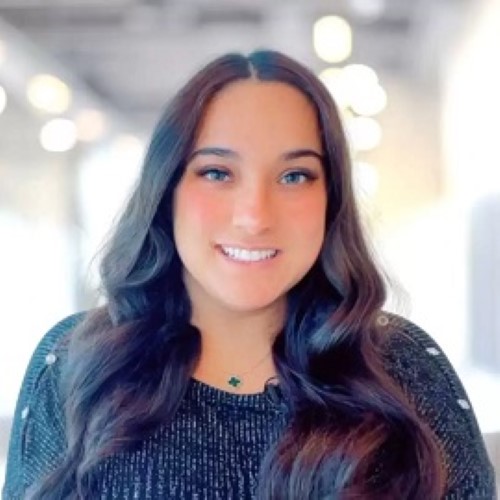
Ana Juneja
is an award-winning intellectual property attorney and the founder of Ana Law®. She advises corporations, SMEs, start-ups, celebrities, and athletes with all facets of intellectual property in America and globally. Ms. Juneja focuses her day-to-day practice on IP prosecution, IP litigation, and IP portfolio management. By combining IP strategy, corporate structuring, and AI-driven workflows, she equips founders and companies with infrastructure that scales and survives attack. Ana Law® is the first and only law firm that offers guaranteed patent, trademark, and copyright services. Ms. Juneja has a 100% success rate for IP registrations. She often teaches and speaks on emerging issues surrounding technology, security, AI, and global IP theft. Ms. Juneja is licensed in several states including New York, Washington DC, Illinois, Texas, and Wyoming. She is admitted in SDNY, NDIL, and EDTX.
Speaker bio
Arnice Foster
is a founding partner and attorney at The Foster Firm, LLC located near Atlanta in College Park. She focuses on personal injury cases, including car and truck accidents, slip and falls, and wrongful death claims. Ms. Foster earned her J.D. degree from the University of Tennessee, Knoxville. She is admitted to practice law in Georgia.
Speaker bio
Adam J. Williams
is a co-founder of Pennywise Tax Strategies. As a serial entrepreneur, he is inspired by entrepreneurship and small business, direct response marketing, non-traditional and unexpected solutions, mindset & personal development, helping create businesses that serve the owners, and high-performance driving. Mr. Williams earned his undergraduate degree from Penn State Behrend, and his MBA and J.D. degrees from the University of Pittsburgh. A Cathedral Prep graduate and active member of the community, he has served on the Board of Directors for the Erie County Bar Association, Lakeshore Community Services, Innovation Collaborative, and Erie Art Museum. Mr. Williams was named to the 2013 Erie Reader 40 Under 40, and has also been listed as a Pennsylvania Super Lawyers Rising Star in 2016, 2017, 2018 and 2019.
TOP FAQs
Have more questions? Please Contact Us