

Technical MS Word Drafting: Tips for Briefs, Pleadings, Motions, and More
Credits Available
| Credit | Status | Total | Until |
|---|---|---|---|
| Alaska CLE |
|
6 Total | 09-18-2026 |
| Arizona CLE |
|
6 Total | 09-18-2026 |
| California CLE |
|
6 Total | 09-18-2026 |
| Connecticut CLE |
|
6 Total | 09-18-2026 |
| Delaware CLE |
|
6 Total | 09-18-2026 |
| Florida CLE |
|
7 Total | 03-31-2026 |
| Idaho CLE |
|
6 Total | 09-18-2029 |
| Maine CLE |
|
6 Total | 09-17-2026 |
| Minnesota CLE |
|
6 Total | 09-18-2026 |
| Missouri CLE |
|
6 Total | 09-18-2026 |
| Northern Mariana Islands CLE |
|
6 Total | 09-18-2026 |
| Mississippi CLE |
|
6 Total | 07-31-2026 |
| Montana CLE |
|
6 Total | 09-18-2027 |
| North Dakota CLE |
|
6 Total | 09-18-2027 |
| Nebraska CLE |
|
6 Total | 09-18-2026 |
| Nevada CLE |
|
6 Total | 09-18-2027 |
| New York CLE |
|
7 Total | 09-18-2027 |
| Oklahoma CLE |
|
7 Total | 09-18-2026 |
| Oregon CLE |
|
6 Total | 09-18-2027 |
| Pennsylvania CLE |
|
6 Total | 09-18-2026 |
| Rhode Island CLE |
|
6 Total | |
| Vermont CLE |
|
6 Total | 09-18-2026 |
| Washington CLE |
|
6 Total | 09-17-2029 |
| Wisconsin CLE |
|
6 Total | 12-31-2025 |
| West Virginia CLE |
|
7.2 Total | 09-18-2026 |
Buy This Course
OnDemand Video
Video Download
Course Book Download
or
Overview
Increase Productivity and Impress Judges With Professional Microsoft Word Drafting Skills
Do you want to use Microsoft Word to draft the best possible briefs, pleadings, motions, and other filings? Learn how to do so with renowned draftsman and expert Microsoft Word professional Barron Henley. In this course, you will learn how to dazzle both Judges and opposing counsel alike with techniques known only to the pros. Don't miss out on your chance to make your first case filing, and thus your first impression with the trier of fact, a memorable one. Register today!
- Master the art of the “Styles” feature within Microsoft Word.
- Delve into automations within documents.
- Create tables of authority utilizing Microsoft Word functionality.
- Determine how to create numbered lists, captions, and signature blocks utilizing Microsoft Word.
- Discover how to repair “broken” documents and become more efficient.
*Any mention of specific products in this program is intended as part of a general overview and does not constitute NBI's endorsement or recommendation of any specific product or provider. This program is not sponsored by any technology or electronics provider.
Abbreviated Agenda
- MS Word Styles Explained: Part One
- MS Word Styles Explained: Part Two
- Automatic Paragraph Numbering
- How to Create Tables of Authority
- Numbering, Captions, and Signature Blocks
- How to Repair Documents to Work Perfectly
Credit Details
Credits Available
| Credit | Status | Total | Until |
|---|---|---|---|
| Alaska CLE |
|
6 Total | 09-18-2026 |
| Arizona CLE |
|
6 Total | 09-18-2026 |
| California CLE |
|
6 Total | 09-18-2026 |
| Connecticut CLE |
|
6 Total | 09-18-2026 |
| Delaware CLE |
|
6 Total | 09-18-2026 |
| Florida CLE |
|
7 Total | 03-31-2026 |
| Idaho CLE |
|
6 Total | 09-18-2029 |
| Maine CLE |
|
6 Total | 09-17-2026 |
| Minnesota CLE |
|
6 Total | 09-18-2026 |
| Missouri CLE |
|
6 Total | 09-18-2026 |
| Northern Mariana Islands CLE |
|
6 Total | 09-18-2026 |
| Mississippi CLE |
|
6 Total | 07-31-2026 |
| Montana CLE |
|
6 Total | 09-18-2027 |
| North Dakota CLE |
|
6 Total | 09-18-2027 |
| Nebraska CLE |
|
6 Total | 09-18-2026 |
| Nevada CLE |
|
6 Total | 09-18-2027 |
| New York CLE |
|
7 Total | 09-18-2027 |
| Oklahoma CLE |
|
7 Total | 09-18-2026 |
| Oregon CLE |
|
6 Total | 09-18-2027 |
| Pennsylvania CLE |
|
6 Total | 09-18-2026 |
| Rhode Island CLE |
|
6 Total | |
| Vermont CLE |
|
6 Total | 09-18-2026 |
| Washington CLE |
|
6 Total | 09-17-2029 |
| Wisconsin CLE |
|
6 Total | 12-31-2025 |
| West Virginia CLE |
|
7.2 Total | 09-18-2026 |
Select Jurisdiction
CLE
Agenda
-
MS Word Styles Explained: Part One
- What Are Styles?
- Default Formatting and Updating
- The “Rules” of Styles
- How to Customize Styles
- Identifying Applied Styles and Modification
-
MS Word Styles Explained: Part Two
- How to Create a Table of Contents
- Taking Advantage of Navigation Pane Features
- Importing Styles From One Document to Another
- Paragraph or Linked Styles
- What Style Settings Mean
-
Automatic Paragraph Numbering
- Setting Up Numbering Schemes
- How to Fix/Modify Paragraph Numbers
- Set Up Cross References With Automatic Updates
- How to Promote or Demote Paragraphs
- Establishing Multiple Numbering Schemes
-
How to Create Tables of Authority
- Setting Categories
- Controlling Order
- Tagging Citations
-
Numbering, Captions, and Signature Blocks
- How to Handle Complex Page Numbers
- Caption Design for Easy Editing
- Signature Block Creation and Editing
- Establishing Line Numbers and Vertical Lines
-
How to Repair Documents to Work Perfectly
- Speaker-Led Exercise
- Perplexities Simplified
Who Should Attend
This program is for attorneys. Paralegals, office managers, and other legal professionals may also benefit.
Speakers
Speaker bio
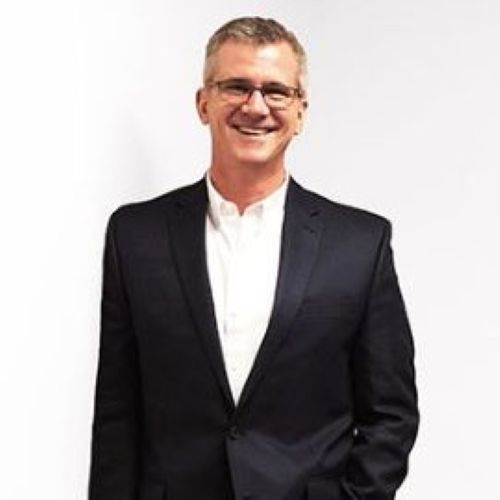
Barron K. Henley
, Esq. is one of the founding partners of Affinity Consulting Group, a legal technology consulting firm focused on automating and streamlining law firms and legal departments. Mr. Henley is the primary author of Microsoft Word for Legal Professionals and has taught Word classes for lawyers and legal support staff for over 25 years. He earned his B.S./B.A degree (marketing and economics) and J.D. degree from The Ohio State University. He is a member of the American, Ohio and Columbus bar associations; and the Worthington Estate Planning Council. He is a fellow of the College of Law Practice Management, a fellow of the American Bar Foundation, a member of Ohio Supreme Court Commission on Technology and the Courts, and a member of both the ABA Law Practice Management and the Real Property Trust and Estate Law ("RPTE") sections. He's also a former member of RPTE Futures Task Force, a former board member for the ABA TECHSHOW, and the former chair of the Ohio State Bar Association Law Office Automation & Technology Committee.
TOP FAQs
Have more questions? Please Contact Us